

Luisa AI receptionist AI
Answers your phone and web chat around the clock, knows your services and areas, and hands over a complete enquiry.
Not a pile of modules. Six outcomes, each one handled from the first enquiry to the final payment, in one workspace.
Luisa and the smart quote form capture the customer, the site, the scope and photos, then put it all in one inbox.
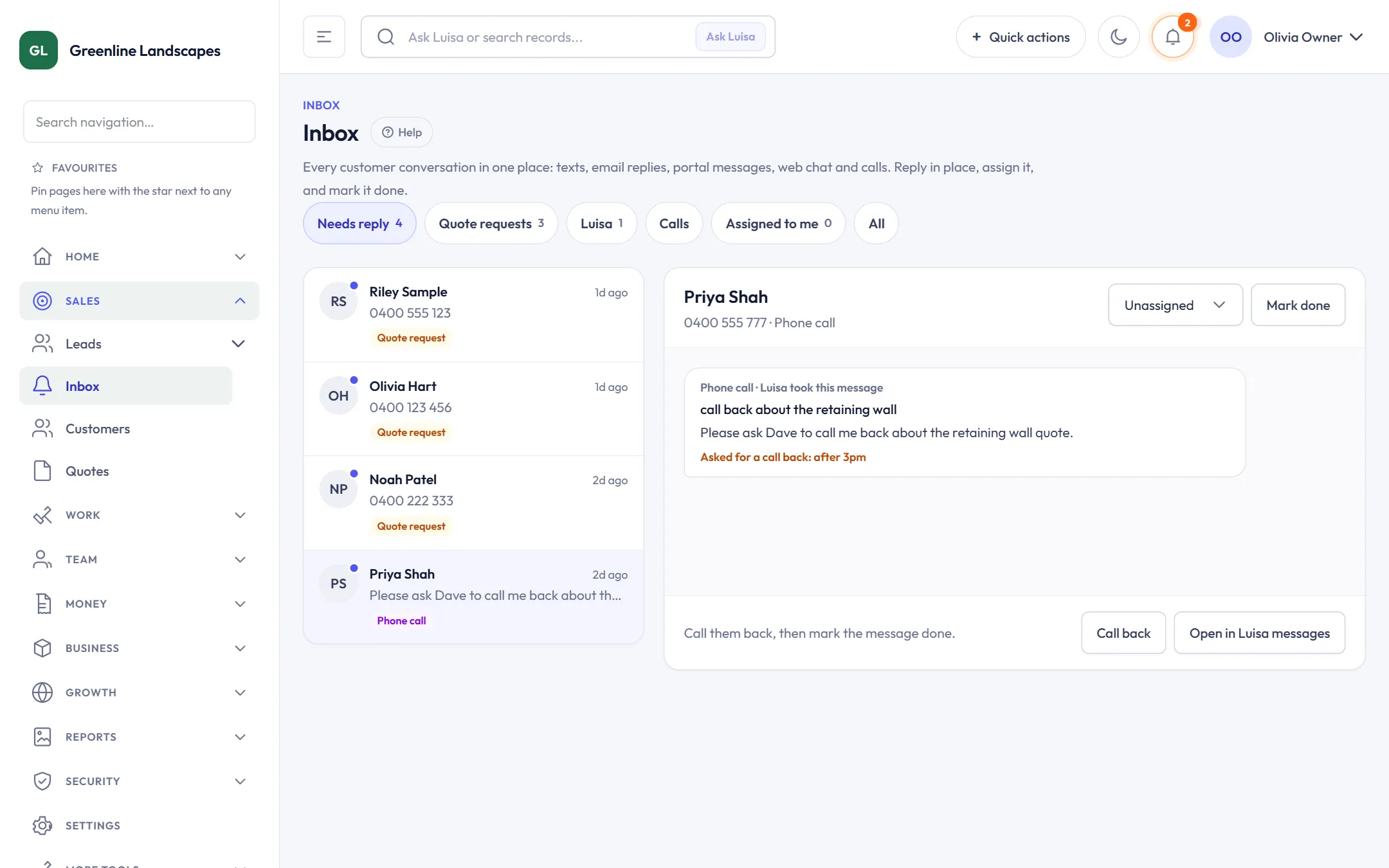
Answers your phone and web chat around the clock, knows your services and areas, and hands over a complete enquiry.
Luisa on every page of your website, in your colours.
Asks only the questions each service needs, with photo upload and a progress bar.
Texts, email replies, portal messages, web chat and calls in one place. Reply, assign and close.
Customers, properties, contacts and history, with every job and invoice linked.
Owners, next steps and contact attempts, so no lead goes cold.
Price standard jobs from your own history, send in one click, and let customers accept, pay and book in the same flow.
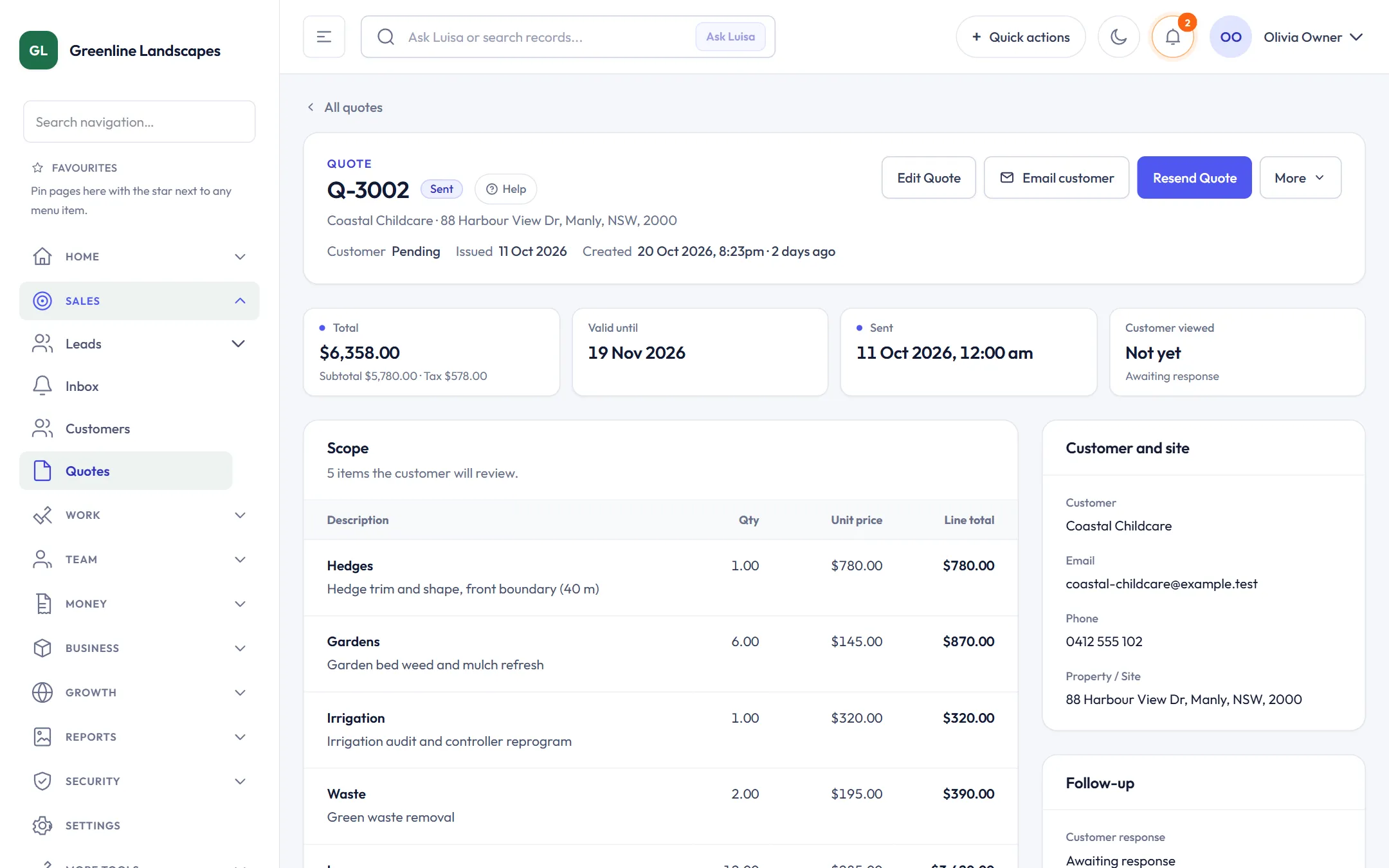
A price range from your similar past jobs, with a confidence level. You approve before it sends.
Services, materials and labour rates you set once and reuse on every quote.
After accepting, customers pay the deposit and choose a time from your real availability.
Invoices from finished work, part payments, reminders and recurring invoices for maintenance contracts.
Card payments through Stripe, with payouts matched to invoices.
Customers, invoices and payments sync both ways, with one place to fix anything that needs you.
Customers approve, pay, confirm visits and see their reports without calling the office.
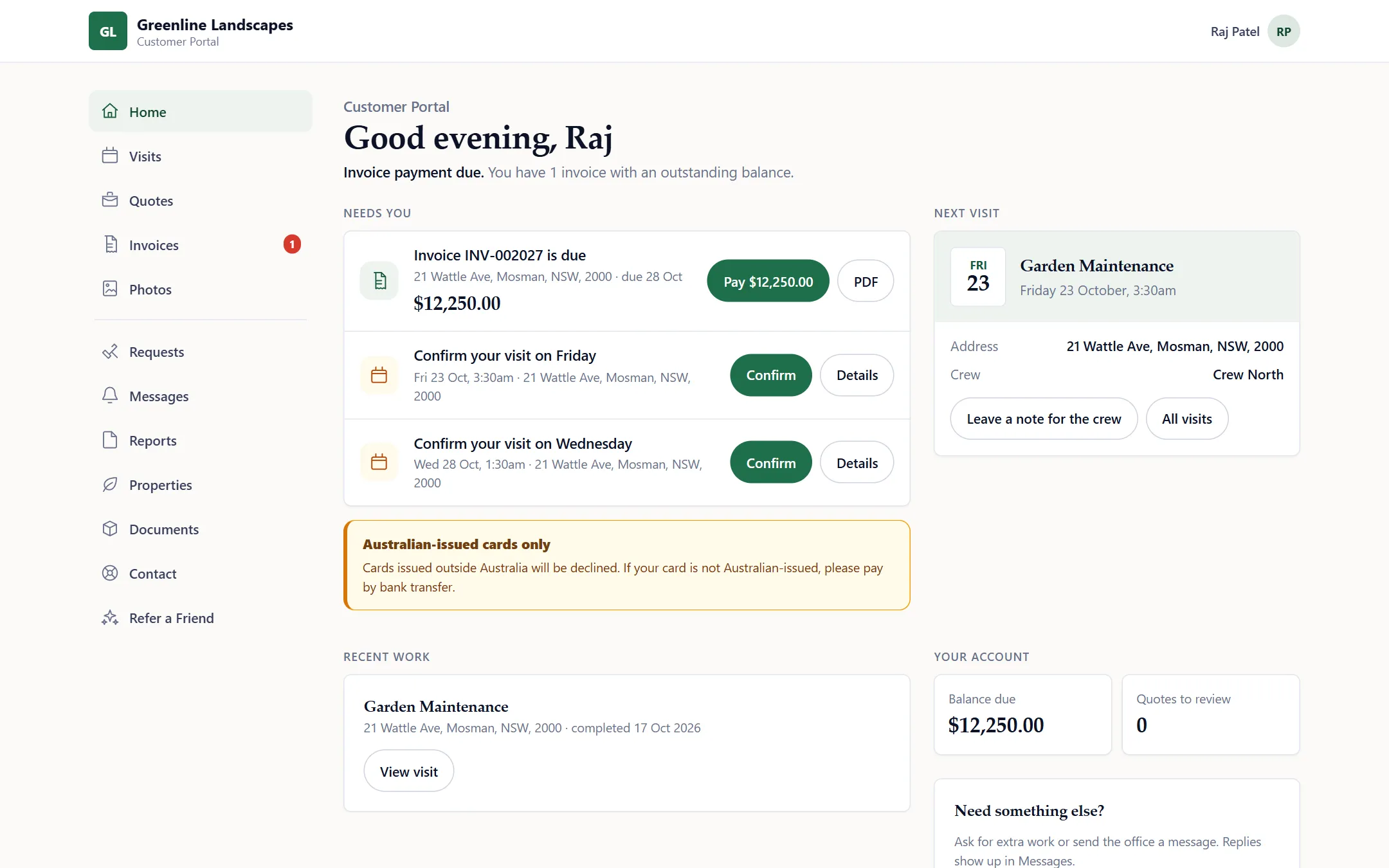
Sign in with a one-time code to approve quotes, pay invoices, confirm visits and request more work.
Customers get a heads-up when the crew is on the way.
Before and after photos and a clear job report after every visit.
Happy customers are asked for a Google review at the right moment.
Seasonal offers and newsletters to customers who agreed to hear from you.
Customers share their own link, and you reward the referrals that turn into work.
Accepted work lands on the calendar, crews see it on their phones, and safety and photos are part of the job.
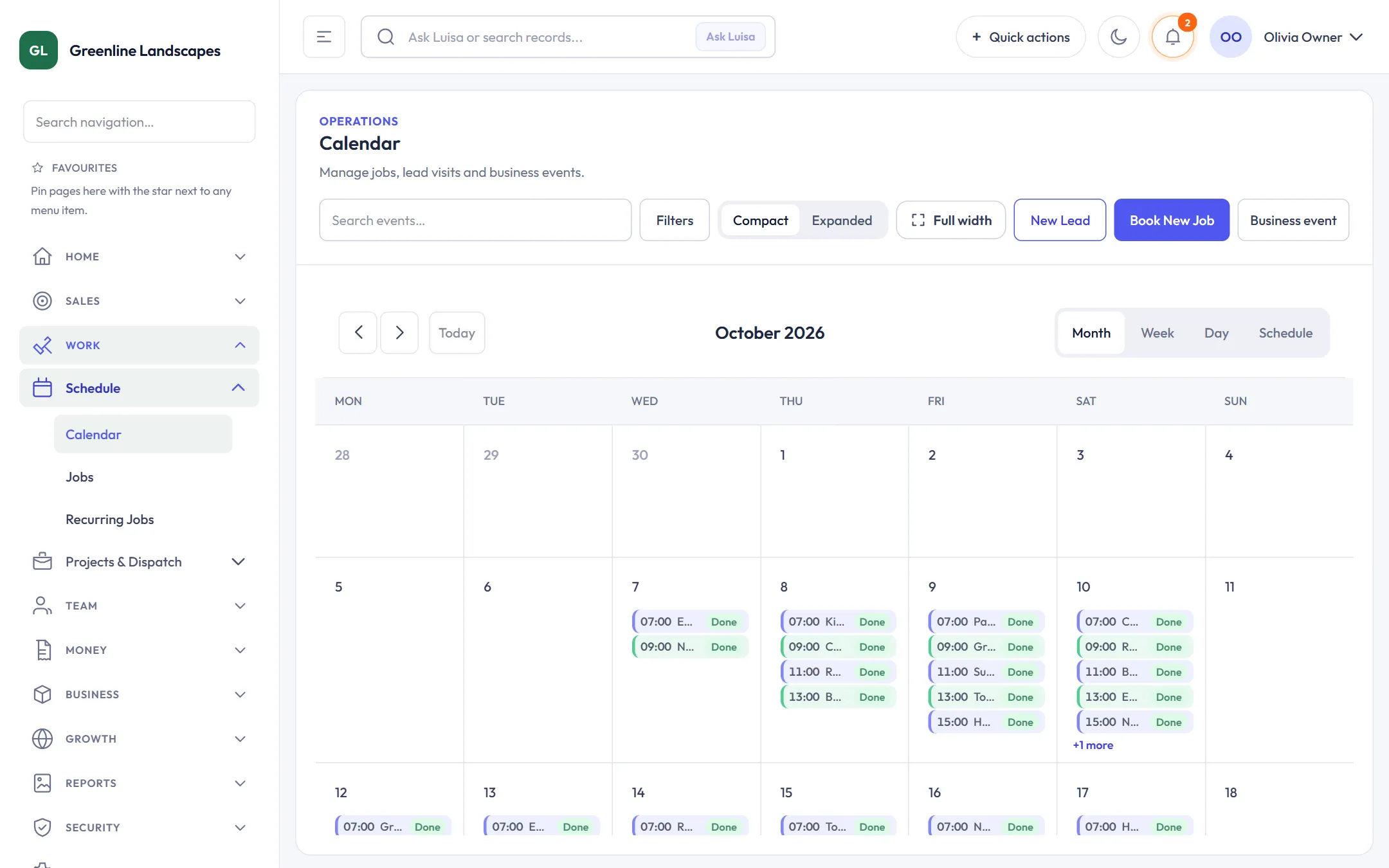
Month, week, day and schedule views, with crew capacity and conflicts checked for you.
See the day on a map and move jobs between crews.
Today, jobs, navigation, photos, notes and timers on iPhone, iPad and Android. Works offline.
The day’s jobs in order for each crew, with the distance and directions.
Clock on and off, rosters, availability and leave requests in one place.
Staged work with phases, variations and the real cost of each job.
Take 5, the daily prestart, SOPs and SWMS, incidents and compliance packs, on the crew’s phones and one WHS hub. It supports your WHS obligations; it doesn’t replace them.
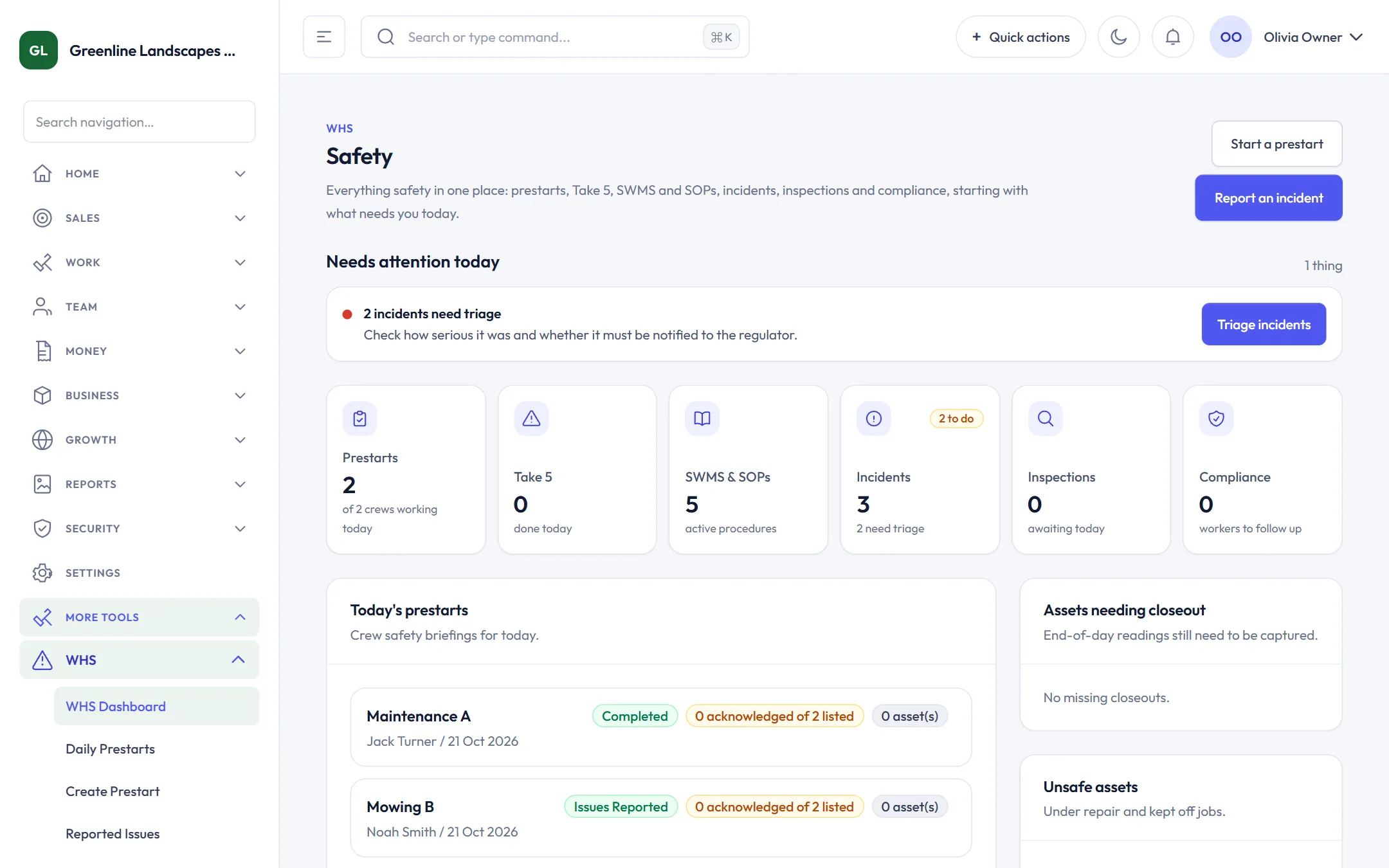
High-risk jobs need a Take 5 before work starts. A stop-work is flagged and resolved by the crew leader or a WHS manager.
One crew member completes it, the rest acknowledge it, with equipment checks and closeout readings.
Templates for outdoor work, versions and review dates, and crew acknowledgement of each version.
A three-step report from the field, triage of severity and notifiability, and corrective actions to close.
Licences, tickets and inductions per worker and site, with expiries flagged and a one-click ZIP export.
Everything safety in one place, starting with what needs attention today.
Your website, Google presence and social channels keep improving, drafted from your real jobs and photos.
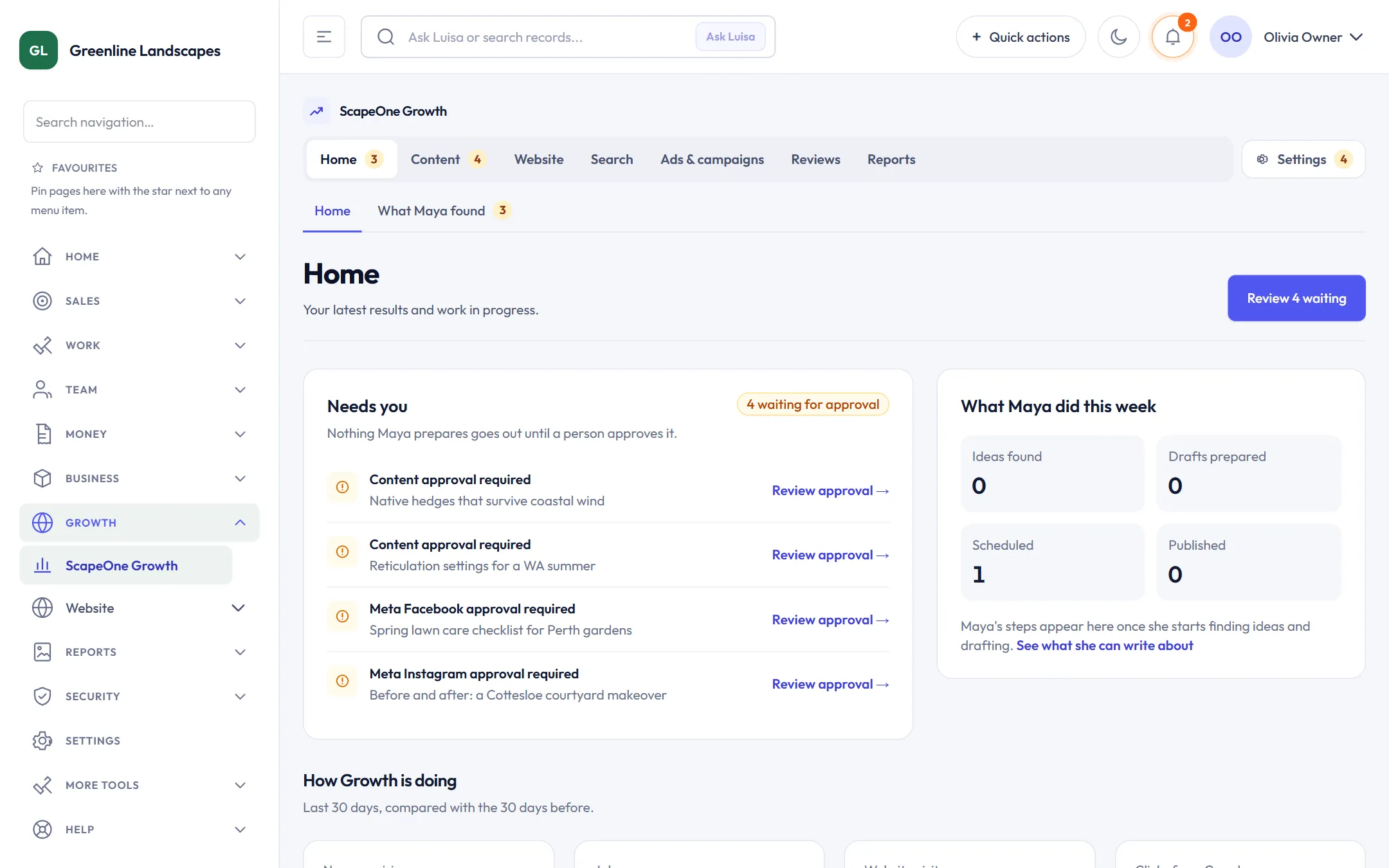
Maya finds what to write about from your jobs, services and suburbs, and tracks what works.
Four premium themes and a live editor. Change words, photos and sections and preview before publishing.
Facebook and Instagram posts drafted from finished jobs, scheduled once you approve.
Your local presence and reviews alongside your website and search results.
See how people find you and which pages bring enquiries.
Google Ads campaigns and recommendations, managed from the same hub.
One dashboard, plain-English answers from your own records, and clear permissions for everyone else.
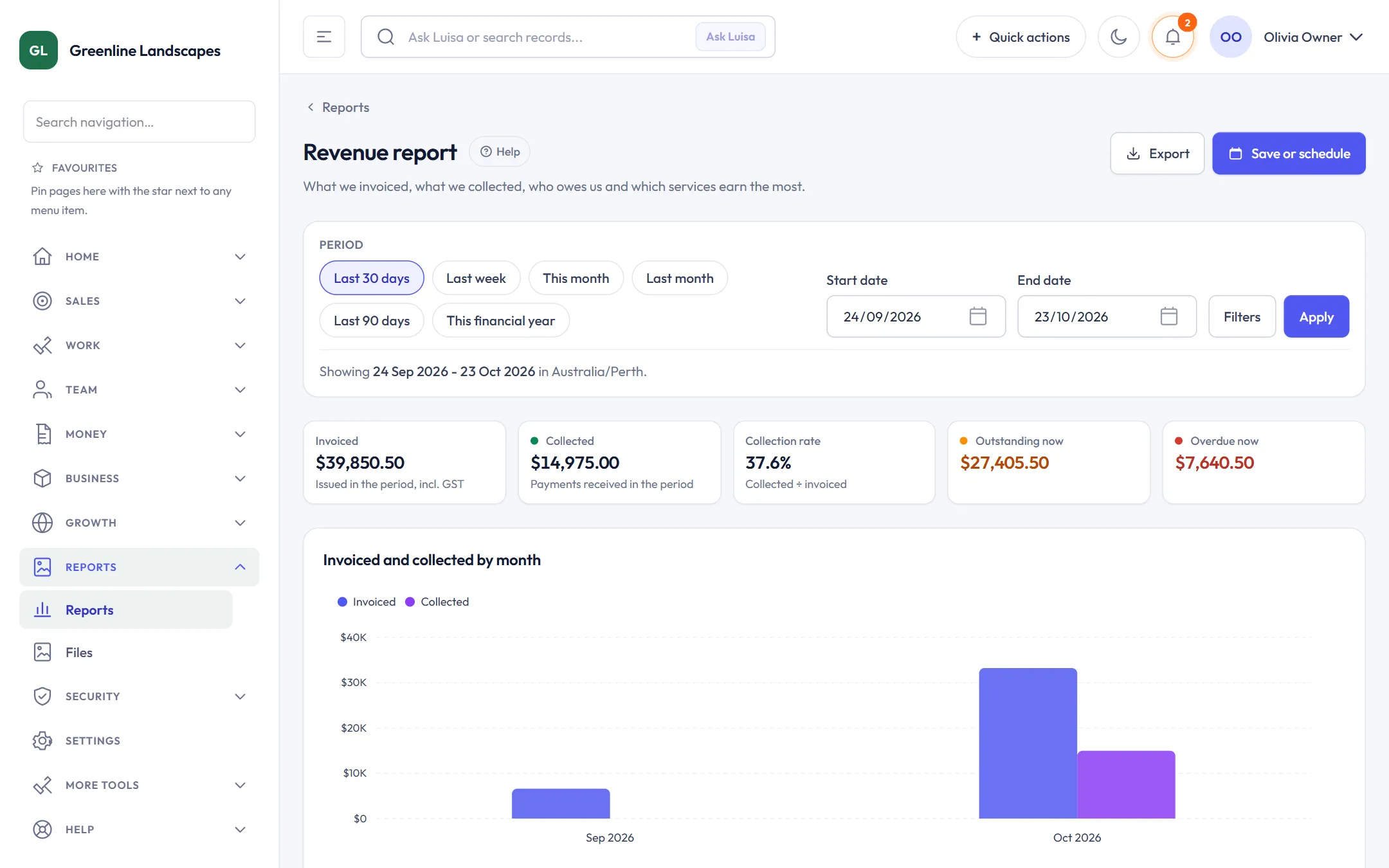
Today’s jobs, money in, what’s overdue and the few things that need you.
Sales, revenue, job profitability, operations, customers, labour and marketing. Export or schedule them.
Ask a question in plain English and get an answer from your records, with the numbers behind it.
Instant quotes, reminders and marketing wait for you until you decide to let them run.
Give each person the access they need, with sign-in codes by email or SMS.
Partners and agencies can refer and support client workspaces from their own portal.
Book a demo and we will set up a workspace with your services and suburbs, or create yours now and follow the guided setup.